PantryPals / food inventory
How to turn a grocery receipt into a useful pantry list
Scan the receipt, review the detected groceries, and add them to your pantry. Set the location and relevant date for each item, then sort by what needs attention first and use that list when planning meals or shopping.
Receipt text can be abbreviated or ambiguous, so review the item names and dates before saving them.
Pantry inventory and receipt scanning
01 / Practical steps
Start with the receipt, then verify the result
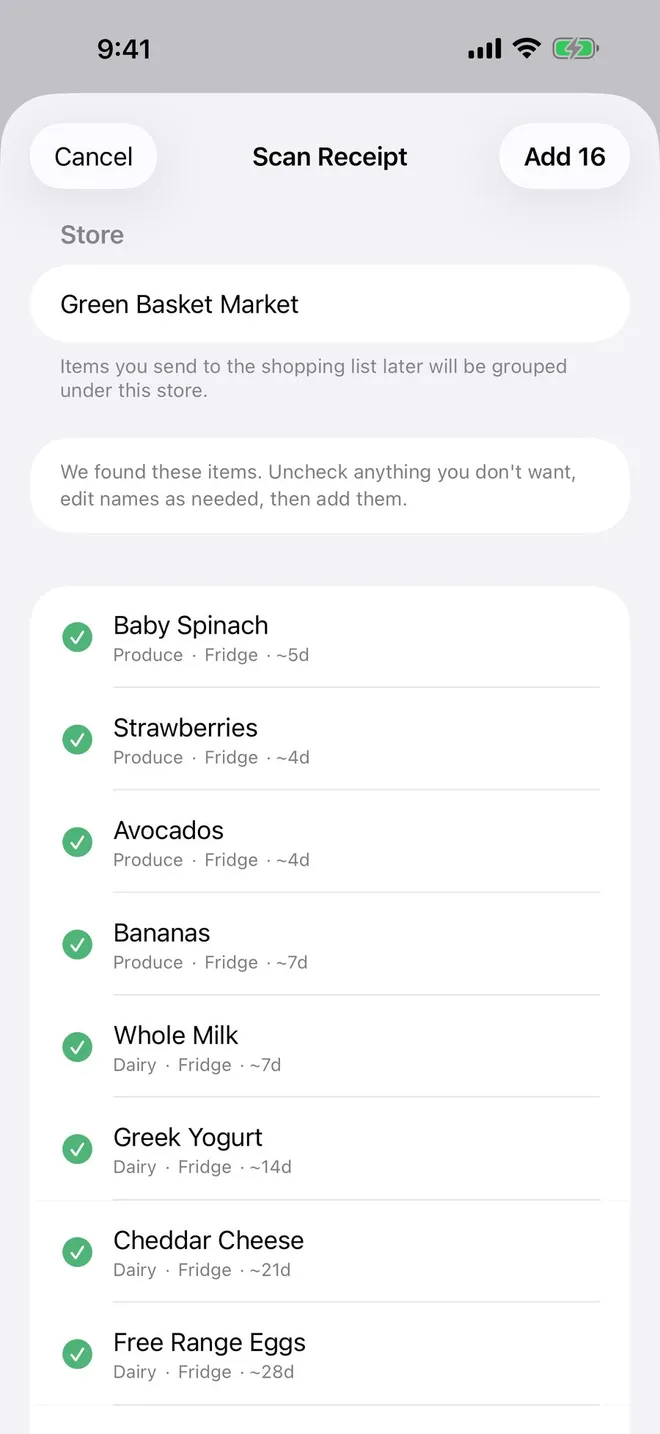
A paper or digital grocery receipt is a quick starting point because it already lists much of the shop. PantryPals scans it and prepares a reviewable list, so you can add several items at once instead of typing every name. The first-launch sample receipt lets you see the flow before using your own groceries.
Check the result carefully. Store abbreviations, weighed produce, quantity multipliers, and discounts can make a printed line unclear. Correct the name or quantity, remove non-food lines, and add anything the receipt missed. The review step is what turns a scan into an inventory you can trust.
- Scan or try the sample receipt.
- Review names and quantities.
- Add the corrected items to the pantry.
02 / Practical steps
Give each item a place and a useful date
Group food by where you will look for it: pantry shelf, refrigerator, freezer, or another location that matches your home. A location view makes a shopping check fast: you can see whether you already have an item before buying another one.
Dates need context. A package date is not a universal safety deadline for every food, and storage conditions matter. Enter the relevant date you want to monitor, then use reminders as a prompt to inspect and plan. For storage and safety decisions, use authoritative guidance for the food and your actual conditions.
Source: USDA FoodKeeper storage guidance.
Use the real app
PantryPals: Pantry Tracker
Turn a grocery receipt into a reviewable list of items, organize them by location and use-by date, and decide what to cook before food is forgotten.
Pantry inventory and receipt scanning

Scan a receipt and review detected items instead of typing every grocery item from scratch.
03 / Practical steps
Work from the items that need attention first
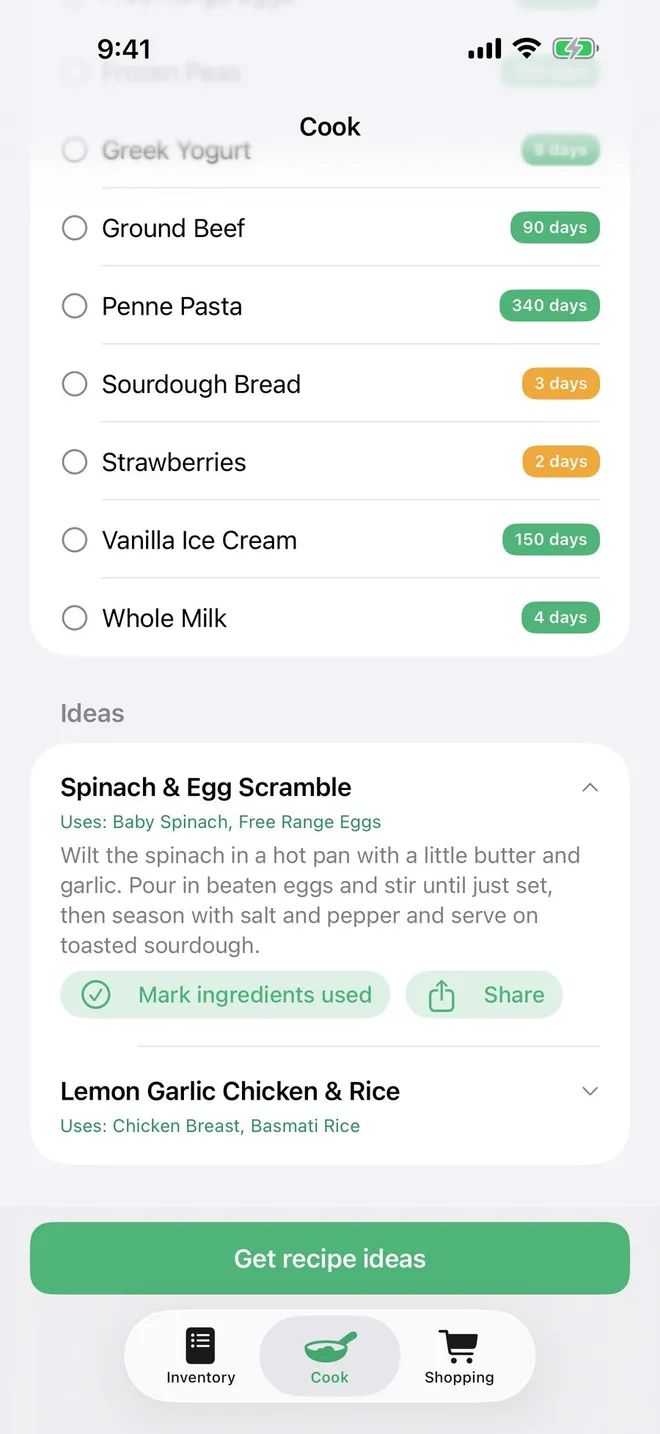
Sort inventory by date to see what to use soon. A reminder a few days ahead can help you choose a meal before an ingredient is forgotten. Keep the list current by adjusting quantities when you cook and removing items you finish or discard.
PantryPals can suggest cook ideas from what you already have and share an idea with someone else. Use those ideas as inspiration, then check the actual ingredient condition and follow safe handling guidance when preparing the meal.
04 / Practical steps
Carry the pantry into the next shopping trip
Before shopping, check what is already in each location and add only missing items to a list. Grouping a shopping list by store can reduce backtracking and duplicate purchases. After the trip, scan the new receipt and repeat the review instead of rebuilding the inventory from memory.
The useful loop is simple: buy, scan, put away, use, and update. It works best when the app reflects the food actually in your kitchen, not merely what the receipt says you bought. A short weekly review keeps the pantry list more valuable than a long one-time setup.
Frequently asked questions
Pantry inventory FAQ
Can I add groceries without typing every item?
Yes. Scan a receipt in PantryPals, review the detected items, and correct anything the receipt text got wrong before adding them.
Does a date reminder mean food is unsafe afterward?
No. Dates and storage conditions vary by food. Use a reminder to review the item and consult appropriate food-safety guidance.
Can I organize food by where I store it?
Yes. PantryPals can show inventory by location as well as by date.
What happens after I use an item?
Update its quantity or remove it so the pantry list still matches what is actually in your kitchen.
The app helps organize food; use food-safety guidance and your judgment to decide whether an item is safe to eat.