SubsSnap / recurring spending
How to track subscriptions and renewals on iPhone
List every recurring payment with its price, billing cycle, and next renewal date. Convert annual plans to a monthly equivalent for comparison, then set a reminder before each renewal so you have time to review it.
A subscription tracker helps you notice a charge; cancel with the company that bills you when you decide to stop it.
Private subscription tracker · no bank login
01 / Practical steps
Start with a complete subscription inventory
Open your App Store subscriptions, email receipts, bank and card statements, and any accounts billed directly by a company. Add each service once with its price, currency, billing interval, and next renewal. Do not assume every subscription is managed by Apple: many companies bill through their own website, and a family member may pay for a service you use.
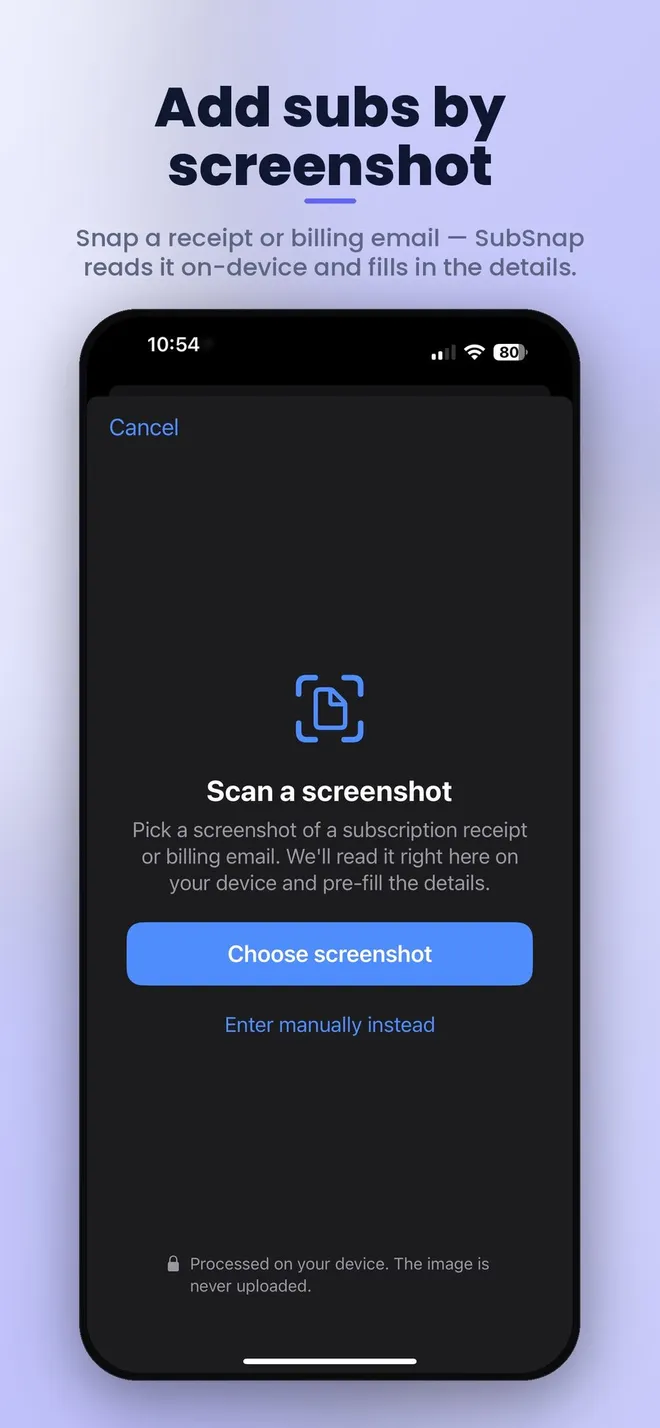
SubsSnap lets you add a subscription directly or scan a screenshot of a receipt or billing email. Its text recognition runs on the device, then you can review the name, price, and date before keeping them. A screenshot saves typing, but still check the details against the actual bill.
- Find recurring charges across all payment methods.
- Record the actual renewal date and billing cycle.
- Check a scanned result before saving it.
02 / Practical steps
Compare annual and monthly plans fairly
A yearly charge can disappear from a monthly budget because it happens only once. Divide an annual price by twelve to see its monthly equivalent, or multiply a monthly price by twelve to see the annual commitment. Then add the equivalents across services. Keep the actual cash renewal date separately: a monthly equivalent does not change when your card is charged.
Group services by category if it helps you spot overlap. Two tools may do the same job, while a frequently used family plan may be worth keeping. The best decision is based on your usage and the real amount billed, not on a guessed average subscription budget.
Use the real app
SubsSnap: Subscription Tracker
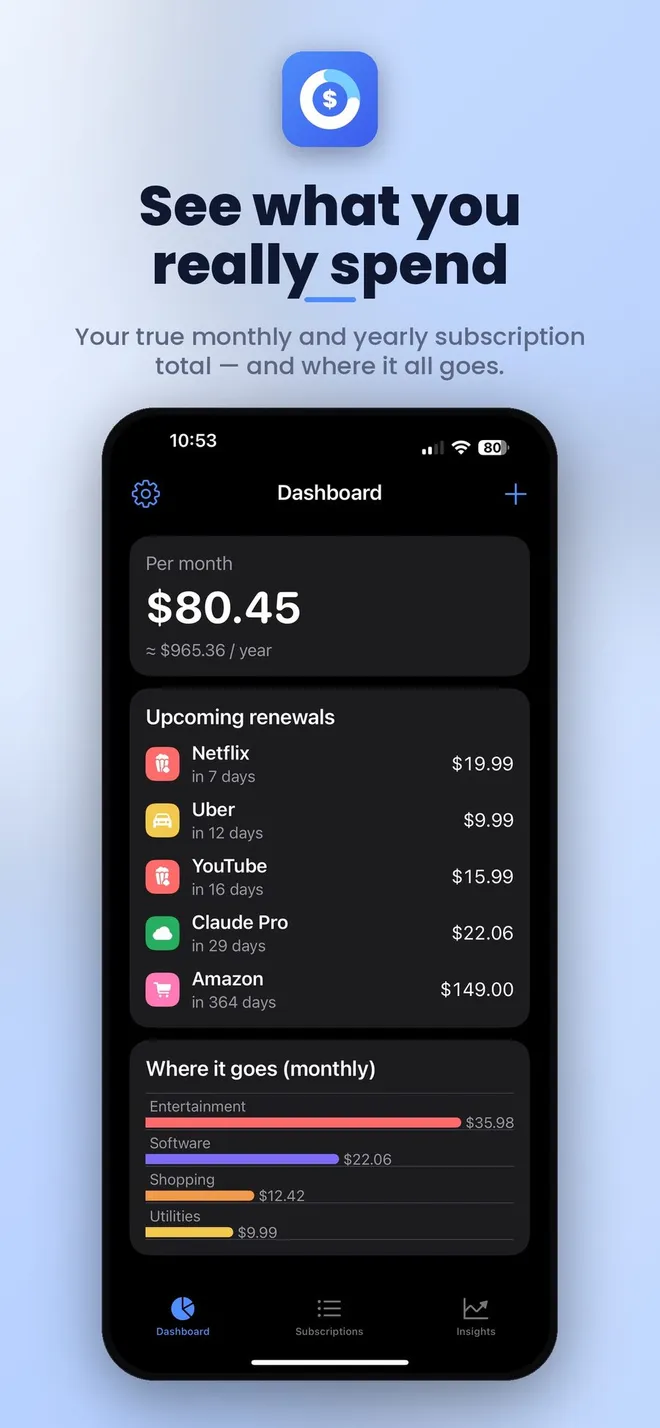
Add a recurring bill or scan a receipt screenshot, see the total across your services, and get a reminder before the next renewal.
Private subscription tracker · no bank login

Keep subscriptions together and view monthly and yearly spending by category.
03 / Practical steps
Set a reminder early enough to act
Choose a reminder a few days before renewal, then use that time to decide whether the service still earns its place. Trial conversion dates deserve the same attention. If a renewal moves, update the tracker from the latest receipt rather than trusting an old date.
SubsSnap can remind you before each renewal and show the total and next payment in a Home Screen widget. It can sync through your own iCloud without requiring a separate account or bank login. Those conveniences make the inventory easier to revisit, but the final billing source is always the provider’s account or receipt.
04 / Practical steps
Review the biller before you cancel
If Apple bills a subscription, open Settings, tap your name, then Subscriptions, choose the service, and use the cancellation control. If the service does not appear there, inspect the receipt or card statement to find who bills you. Contact that provider and keep the confirmation.
A tracker does not cancel a subscription for you. After canceling, update the entry and verify the final access date and last expected charge. Repeat a short review each month and a deeper check before large annual renewals.
Source: Apple Support: cancel a subscription.
Frequently asked questions
Subscription tracking FAQ
Can SubsSnap cancel a subscription?
No. It tracks costs and renewal dates. Cancel through Apple or the company that bills the service.
How do I compare an annual plan with a monthly plan?
Divide the annual amount by twelve for a monthly equivalent, while retaining the actual annual charge and renewal date.
Does SubsSnap need my bank login?
No. You enter a subscription or scan a billing screenshot; the app does not require a bank connection.
Where is my subscription data stored?
The App Store listing says data stays on your device and syncs through your own iCloud, with no separate account.
Verify amounts and cancellation deadlines with each billing provider. SubsSnap tracks subscriptions but does not cancel them.