
VINsight: Recalls & Car Specs
Scan a VIN. See the specs and the recalls.
Point your camera at a 17-character VIN or type it in. VINsight decodes it with NHTSA’s public VIN decoder, then lists the recall campaigns, crash-test stars, complaints, and EPA fuel figures on file for that year, make, and model.
No account · no ads · Garage stays on your device
For iPhone and iPad · iOS 17.0 or later
Guides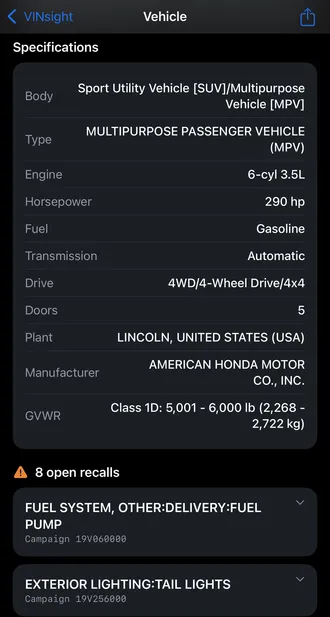
Scan or type the VIN
Read the printed VIN with your camera or type it. VINsight checks for 17 characters and the letters a VIN never uses before it looks anything up.
Specs, recalls, and ratings
See decoded specs from NHTSA’s VIN decoder, recall campaigns with their remedies, crash-test stars, complaint counts, and EPA fuel figures.
Vehicle data only
VINsight never returns an owner’s name or address. There is no account and no ads, and your Garage stays on your device.
VINsight / Guides
A little help getting started
Practical answers, clear steps, and real app screenshots.